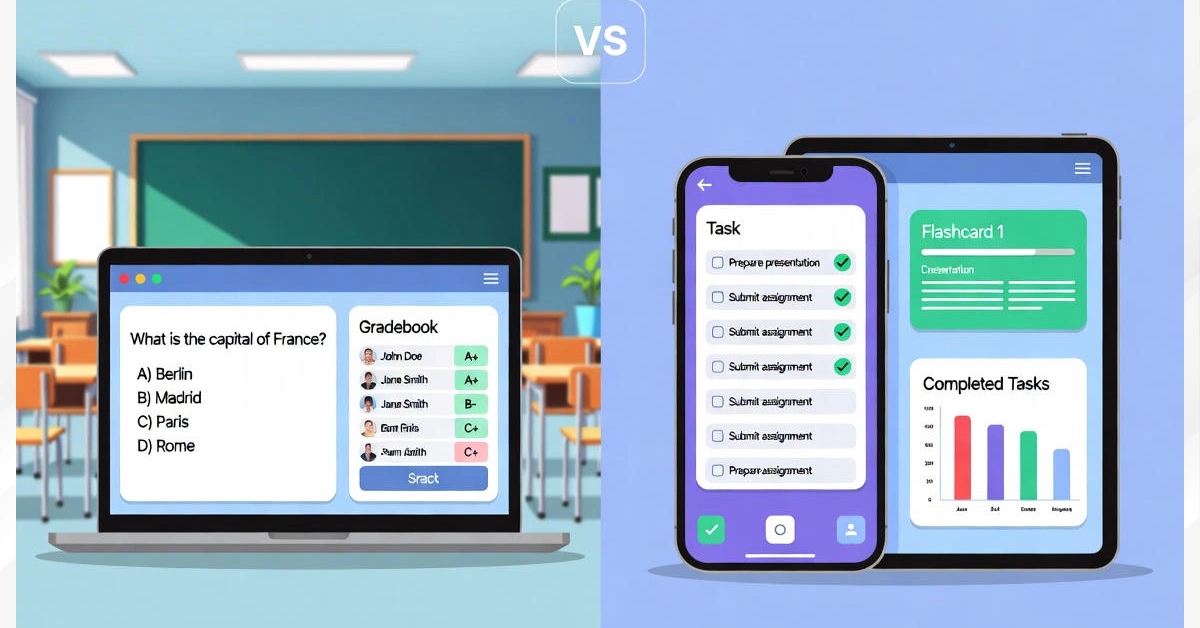
Ever heard someone talking about the “samigo app” and got super confused? Well, you’re not alone. Here’s the thing—there are actually two completely different apps with almost the same name. And they do totally different stuff. One’s used by colleges for online tests, the other’s a cool productivity app anyone can download. Crazy, right? Don’t worry, we’ll break it all down so you know exactly which one you need.
What is Samigo App? Understanding Two Different Platforms
Okay, so here’s where things get interesting. The name “Samigo” belongs to two separate products. Think of it like having two different restaurants with the same name in different cities—they’re not connected at all.
The first one is SAMigo (with capital letters), which is part of something called Sakai LMS. It’s an online assessment tool that universities and colleges use. Teachers create tests, students take them online, and boom—grades go straight to the gradebook.
The second one is the modern Samigo app, which is a productivity and learning tool you can download on your phone. It helps students study better and even helps work teams manage their projects.
So why the confusion? Well, they just happened to pick similar names. But they’re built by different companies and do completely different things. The SAMigo tool came first, as part of the open-source Sakai project funded by universities. The newer Samigo app is a recent mobile application designed for the app store generation.
| Feature | SAMigo (Sakai) | Modern Samigo App |
|---|---|---|
| Primary Use | Online tests & quizzes | Productivity & learning |
| Users | Universities, colleges | Students, professionals, teams |
| Platform | Web-based (Sakai LMS) | iOS, Android, Web |
| Cost | Included with Sakai | Free/Paid options |
SAMigo: The Sakai Assessment Module Deep Dive
Let’s talk about the older version first. SAMigo is basically the test-taking part of Sakai LMS, which is a learning management system. Think of it like Google Classroom or Canvas, but open-source (that means it’s free for schools to use).
Who uses this thing? Mostly universities and colleges around the world. For example, UNISA (University of South Africa) uses SAMigo for all their online assessments. Students log into their Sakai portal, find their course, and take tests right there.
The cool part? It’s all integrated. Teachers don’t have to manually transfer grades anywhere. Everything syncs automatically with the gradebook. Plus, it’s part of a bigger system, so students can also access their assignments, discussion boards, and course materials all in one place.
Schools choose SAMigo because it’s free, reliable, and customizable. Since it’s open-source software, tech-savvy schools can even modify it to fit their needs. And it works with other LMS platforms like Canvas, Blackboard, and Moodle, which makes it super flexible.
Key Features of SAMigo Assessment Tool
Now let’s get into what SAMigo can actually do. This isn’t just a simple quiz maker—it’s got some serious features.
First up, the question types. SAMigo supports multiple choice questions, true/false, short answer essays, fill in the blank, matching questions, file uploads, and even audio recording answers. That’s pretty much every type of question you’d ever need for an online test.
Teachers can create unlimited assessments too. Quizzes, tests, homework assignments, practice tests, surveys—you name it. And there’s this thing called “question pools” where teachers store questions and randomly pick them for each student. So your test might have different questions than your friend’s test, even though it’s the same quiz.
The grading automation is where things get really handy. Multiple choice and true/false questions grade themselves automatically. Short answers and essays need manual grading, but that’s expected. Either way, all the grades sync straight to the Sakai gradebook without any extra work.
Security’s pretty tight too. Teachers can restrict tests by IP address (so you can only take it from campus), add password protection, and shuffle questions around so students sitting next to each other see things in different orders. This stops cheating and keeps things fair.
The Modern Samigo App: Productivity Meets Learning
Alright, now let’s switch gears and talk about the newer samigo app. This one’s totally different.
The modern Samigo app is a productivity and learning tool designed for your phone or tablet. It’s available on iOS and Android, plus you can use it on the web too. Think of it like a mix between a to-do list app and a study app.
Who’s it for? Two main groups. First, students who want help studying for exams and staying organized. Second, professional teams who need to manage projects and collaborate. So it’s way more versatile than the SAMigo assessment tool.
The app positions itself as an all-in-one solution. You can manage tasks, work with teammates, create flashcards, track your progress, and more. It’s like having Trello, Quizlet, and a calendar app all rolled into one.
Features of Modern Samigo App
The modern samigo app packs a ton of features into one mobile application. Let’s break them down.
Task Management: This is where the productivity app part shines. You get AI-powered scheduling that figures out the best time for you to work on stuff. Plus priority-based task organization and deadline tracking. So if you’ve got three assignments due next week, the app helps you figure out what to tackle first.
Collaboration Tools: If you’re working on a group project, this helps a lot. You get real-time updates so everyone knows what’s happening. There’s team communication built in, and you can share files without switching to another app. Way easier than juggling email and group chats.
Learning Features: Now here’s where it gets cool for students. The app has adaptive study plans that adjust based on how you’re doing. Interactive flashcards use something called spaced repetition, which is proven to help memory retention. Basically, it shows you stuff right before you’d forget it, so it sticks in your brain better.
There’s also personalized learning paths. The app figures out what you’re struggling with and gives you more practice in those areas. It’s like having a personal tutor that knows exactly what you need to work on.
Cloud Integration and Security: All your stuff syncs across devices automatically. Start studying on your phone, finish on your laptop—no problem. The app uses data encryption and secure authentication to keep your information safe. That’s super important when you’re storing homework and personal schedules.
Analytics: You get progress tracking, performance insights, and real-time feedback. So you can actually see yourself improving over time. It’s motivating to watch those graphs go up.
SAMigo vs. Modern Samigo App: Which One Do You Need?
Here’s the big question—which samigo app should you use? Well, it depends on your situation.
For University Students Using Sakai LMS: If your school uses Sakai and your teachers assign tests through it, you’re gonna use SAMigo. You don’t really have a choice—it’s just part of your school’s system. But that’s okay, because it’s designed specifically for that purpose and it works well.
For Independent Learners and Study Help: If you’re looking for a study app to help with exam preparation, you want the modern Samigo app. Download it from the App Store or Google Play Store. It’ll help with flashcards, progress tracking, and keeping your study schedule organized.
For Professional Teams and Work Projects: The modern Samigo app also works great for team collaboration and project management. If you need task scheduling, deadline tracking, and team communication, this is your tool.
For Educational Institutions: Schools looking for a complete LMS with built-in assessment tools should check out Sakai with SAMigo. It’s free, open-source, and trusted by universities worldwide. Plus it integrates with other platforms like Canvas and Blackboard if needed.
How to Get Started: Implementation Guide
Ready to start using one of these tools? Here’s how to get going.
For SAMigo (Sakai): You can’t just download this yourself. Your school has to set up Sakai LMS first. If you’re a student, your school will give you login credentials. Just go to your school’s Sakai portal, sign in, and you’ll see your courses. Your teachers will post tests there when they’re ready.
If you’re an administrator at a school interested in Sakai, check out the Apereo Foundation website. They manage the open-source project and can connect you with support.
For Modern Samigo App (Students): Head to the App Store or Google Play Store and search for “Samigo app”. Download it, create an account, and start exploring. The app usually has a quick tutorial that walks you through the basics. Start by adding your classes and creating a study schedule.
For Modern Samigo App (Teams): Same download process, but set up a team workspace instead. Invite your team members, create your first project, and start assigning tasks. The app works on mobile and web, so everyone can access it however they want.
Conclusion
So there you have it—the complete breakdown of the samigo app confusion. Remember, there are two totally different products here. SAMigo is the online assessment tool built into Sakai LMS for universities. The modern Samigo app is a productivity and learning tool you can download on your phone.
If you’re a college student whose school uses Sakai, you’ll be using SAMigo for tests and quizzes. If you’re looking for study help or team productivity tools, grab the modern Samigo app from your app store.
Both platforms are constantly improving too. The Sakai Project keeps updating SAMigo with new features and security improvements. And the modern Samigo app is adding new study tools and collaboration features all the time.
Now that you know the difference, go check out whichever version fits your needs. Whether you’re taking online exams or trying to ace your next test, there’s a samigo solution for you. Good luck!